
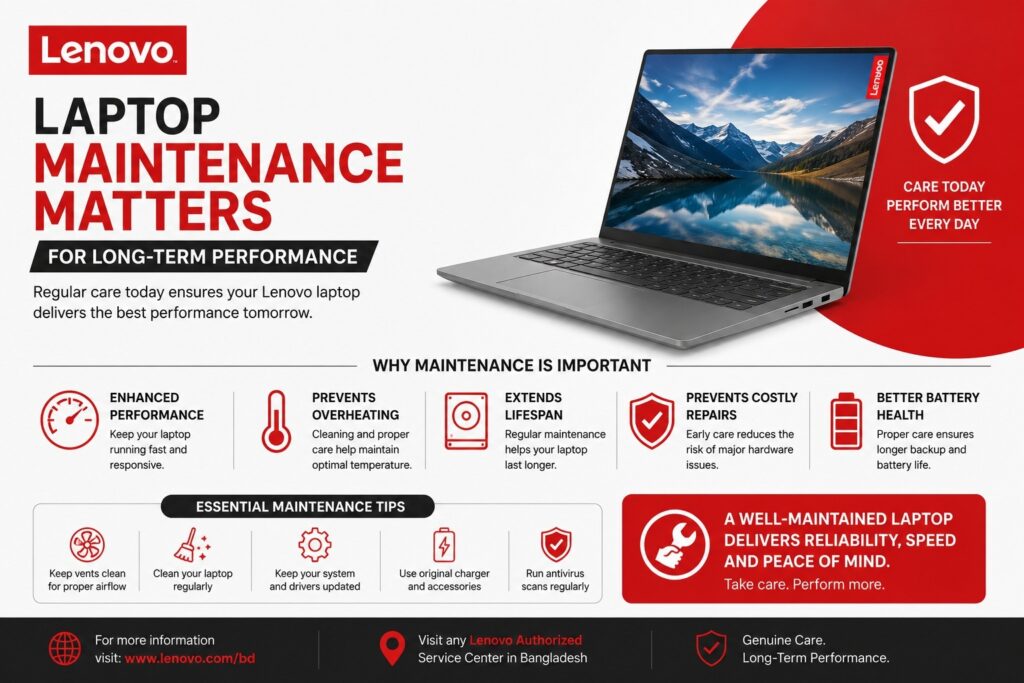
Laptop maintenance is essential for keeping your device fast, reliable, and efficient over time. Many users experience slow performance because they ignore basic care routines. Regular maintenance improves hardware lifespan, prevents overheating, and protects important data. Whether you use your laptop for office work, gaming, freelancing, or study, proper maintenance ensures stable performance for years. A well-maintained laptop reduces repair costs and helps you avoid sudden system failures. Consistent care also improves battery health and software responsiveness, allowing users to enjoy smooth multitasking without interruptions.
Keep Your Laptop Clean Inside and Out
Dust accumulation is one of the biggest reasons laptops lose performance. Dirt blocks cooling vents and fans, causing overheating issues. Clean your laptop exterior weekly using a microfiber cloth and avoid harsh chemicals. Keyboard cleaning prevents key malfunction and improves hygiene. Every few months, clean air vents carefully using compressed air to remove hidden dust. Keeping the laptop in a clean workspace also minimizes dust buildup. A clean device maintains better airflow, ensuring the processor and graphics components perform efficiently without thermal throttling.
Maintain Proper Cooling and Airflow
Heat is the biggest enemy of laptop longevity. Always use your laptop on a flat, hard surface to maintain airflow. Avoid placing it on beds, pillows, or soft surfaces that block ventilation. Consider using a cooling pad if you perform heavy tasks like video editing or gaming. High temperatures reduce processor efficiency and damage internal components over time. Proper cooling management keeps performance stable and prevents automatic slowdowns caused by thermal protection systems. Maintaining optimal temperature significantly extends hardware durability.
Update Operating System and Drivers Regularly
Software updates are critical for performance and security. Updated operating systems fix bugs, improve speed, and enhance compatibility with modern applications. Install official driver updates for graphics, chipset, and network components to achieve maximum performance. Outdated drivers often cause crashes, lag, or hardware errors. Enable automatic updates whenever possible to ensure continuous improvement. Regular updates also strengthen cybersecurity protection, keeping your personal and professional data safe from vulnerabilities and malware threats.
Optimize Storage for Faster Performance
Storage management plays a huge role in laptop speed. Avoid filling your storage beyond 80% capacity because it slows down system operations. Delete unnecessary files, uninstall unused applications, and clear temporary files regularly. Using SSD storage dramatically improves boot time and software loading speed compared to traditional HDD drives. Organize files into folders and use cloud storage for backups. Efficient storage optimization keeps your laptop responsive and prevents performance degradation during daily usage.
Protect Battery Health for Long-Term Usage
Battery maintenance is often overlooked but extremely important. Avoid keeping your laptop plugged in constantly after reaching full charge. Ideally, maintain battery levels between 20% and 80% for longer lifespan. Excess heat and deep discharge cycles damage battery cells permanently. Reduce screen brightness and disable unused background applications to save power. Modern laptops include battery optimization features that help manage charging behavior. Proper battery care ensures longer unplugged usage time and delays costly battery replacements.
Install Reliable Antivirus and Security Protection
Cybersecurity directly impacts laptop performance. Malware and unwanted software consume system resources and slow down operations. Install trusted antivirus software and keep it updated. Avoid downloading unknown files or pirated applications that may contain hidden threats. Use firewall protection and scan your system regularly. Secure browsing habits protect sensitive data while maintaining system stability. A protected laptop runs faster because malicious background processes cannot consume processing power or storage space.
Manage Startup Programs and Background Apps
Too many startup programs significantly increase boot time. Disable unnecessary applications from startup settings to improve speed. Background apps consume RAM and CPU resources even when not actively used. Regularly check task manager to identify resource-heavy applications. Optimizing startup processes ensures faster login and smoother multitasking performance. Minimal background activity allows your laptop to allocate resources efficiently to important tasks, improving overall productivity and user experience.
Perform Regular Hardware and Software Checkups
Routine system checkups help identify problems before they become serious. Run disk cleanup tools, system diagnostics, and performance scans monthly. Monitor storage health, memory usage, and temperature levels. Backup important data regularly to prevent data loss. Professional servicing once a year can extend device lifespan significantly. Businesses and professionals who rely heavily on laptops should schedule preventive maintenance. Reliable retailers like Techland BD also recommend periodic hardware inspection to maintain optimal performance.
Smart Usage Habits for Maximum Laptop Lifespan
Long-term performance depends largely on user habits. Shut down or restart your laptop regularly instead of keeping it running continuously. Avoid sudden power loss by using surge protectors or UPS systems. Handle your laptop carefully during travel to prevent physical damage. Keep liquids away from the device to avoid motherboard issues. Smart usage combined with proper maintenance creates a powerful and reliable system that lasts for many years. Consistent care ensures your laptop delivers peak performance, better productivity, and excellent long-term value.
Popular Laptop Brands Available at Techland BD
The global laptop market is dominated by several trusted brands known for performance, durability, and innovation. HP Inc. leads in business and enterprise laptops with reliable EliteBook and Pavilion series. Lenovo is highly popular for ThinkPad, IdeaPad, and Legion gaming laptops. Dell Technologies offers premium productivity laptops like XPS and powerful Alienware gaming machines. ASUS is famous for ROG gaming laptops and ZenBook ultrabooks, while Acer Inc. provides affordable Aspire and Nitro series devices. Creative professionals often prefer Apple Inc. MacBook laptops for performance and ecosystem integration. Meanwhile, MSI stands out among gamers with high-performance gaming laptops.
At Techland BD, customers can explore all these popular laptop brands across budget, business, student, and gaming categories, ensuring the perfect device for every user need and price range. Techland BD is Also Best Projector retailer in Bangladesh .
